
Enter a list of numbers (separated by commas or spaces), choose whether you want sample or population variance, and the calculator instantly computes a full statistical summary including count, sum, mean, median, mode, min, max, range, first and third quartiles, interquartile range, variance, and standard deviation.
Free Online Utility Tools
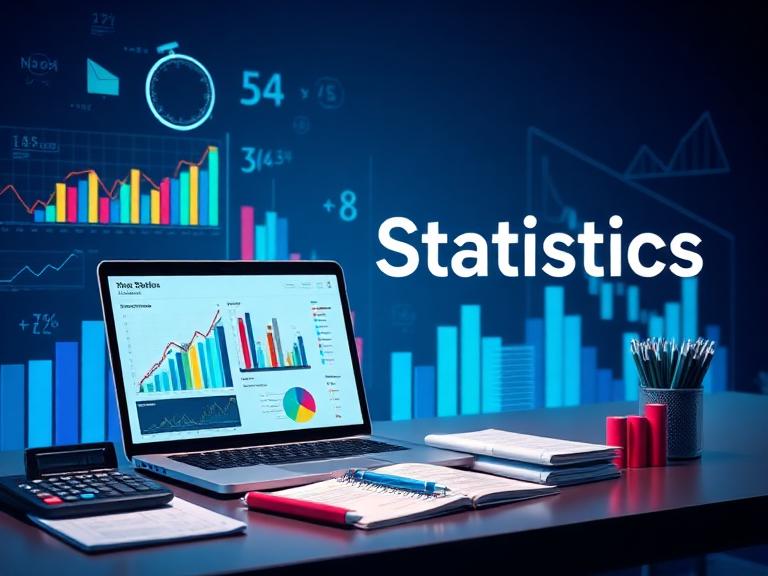
Statistics Calculator
Instant · Accurate · No Sign‑Up Required
Introduction
Descriptive statistics are essential for summarizing and understanding data. Our free Statistics Calculator computes a comprehensive set of measures—count, sum, mean, median, mode, range, variance, standard deviation, geometric mean, and harmonic mean—from your dataset. Whether you’re a student, researcher, data analyst, or professional, this tool delivers accurate, step‑by‑step results in seconds.
This all‑in‑one tool accepts comma‑separated or space‑separated values, supports negative numbers and decimals, and provides detailed insights into your data’s center, spread, and distribution. It runs entirely in your browser, keeps your data private, and requires no sign‑up. Combine it with our z‑score calculator for standardization, or our confidence interval calculator for inference.
What Is a Statistics Calculator?
A Statistics Calculator performs a variety of descriptive statistical calculations on a set of numbers. It provides measures of central tendency (mean, median, mode), dispersion (range, variance, standard deviation), and other summary metrics (geometric mean, harmonic mean). These calculations help you understand the typical value, the spread, and the shape of your data.
The calculator helps you answer important questions like:
- 📊 What is the average of my dataset?
- 📈 How spread out are the values?
- 🔢 Which number appears most frequently?
- 🧮 What is the standard deviation?
Our Statistics Calculator provides a complete picture of your data. Use it alongside our standard deviation calculator for more focused analysis, or our mean, median, mode, range calculator for a quick summary.
Key Features of Our Statistics Calculator
Get comprehensive statistical insights with these powerful features:
Compute mean, median, and mode.
Calculate range, variance, and standard deviation (population & sample).
Geometric mean, harmonic mean, count, sum, min, max.
See how each measure is derived from your data.
Works on all devices – phone, tablet, or desktop.
Your data never leaves your browser – we don’t track, store, or share anything.
No sign‑up, no subscription – use it anytime, forever.
Includes formulas and examples for learning.
Statistics Formulas
The following formulas are used to compute the statistical measures:
| Measure | Formula | Description |
|---|---|---|
| Count | n | Number of data points |
| Sum | Σxᵢ | Total of all values |
| Mean | x̄ = Σxᵢ / n | Arithmetic average |
| Median | Middle value of sorted list | Average of two middles if n is even |
| Mode | Value with highest frequency | May be multiple or none |
| Range | Max − Min | Difference between largest and smallest |
| Population Variance | σ² = Σ(xᵢ − μ)² / n | Average squared deviation from mean (if dataset is entire population) |
| Sample Variance | s² = Σ(xᵢ − x̄)² / (n−1) | Unbiased estimator when data is a sample |
| Standard Deviation | σ or s = √(variance) | Square root of variance |
| Geometric Mean | (Πxᵢ)^(1/n) | Useful for growth rates and ratios |
| Harmonic Mean | n / Σ(1/xᵢ) | Useful for rates and speeds |
Note: Geometric mean is undefined for datasets containing zero or negative numbers. Harmonic mean is undefined if any value is zero.
Example Calculations
Here is a sample dataset and its full statistical summary:
| Measure | Value for Data: 4, 8, 6, 5, 3 |
|---|---|
| Count | 5 |
| Sum | 26 |
| Mean | 5.2 |
| Median | 5 |
| Mode | None (all unique) |
| Range | 5 |
| Population Variance | 2.96 |
| Population Std Dev | ≈ 1.72 |
| Sample Variance | 3.7 |
| Sample Std Dev | ≈ 1.92 |
| Geometric Mean | ≈ 4.93 |
| Harmonic Mean | ≈ 4.71 |
Advanced Features That Make Statistical Analysis Easy
Our Statistics Calculator includes thoughtful features to help you understand your data:
- Population vs Sample: Choose between population and sample variance/standard deviation.
- Detailed Steps: See intermediate calculations for variance and standard deviation.
- Frequency Table: Visualize the frequency of each value.
- Sorted Data View: The sorted list helps you verify median and range.
- Integration with Other Tools: Combine with our z‑score calculator or confidence interval calculator for deeper analysis.
How to Use the Statistics Calculator
In just a few simple steps, you’ll have a complete statistical summary:
Type or paste a list of numbers separated by commas, spaces, or line breaks.
Select whether your data represents the entire population or a sample (affects variance).
Instantly see all measures, along with step‑by‑step calculations.
Advantages and Benefits of Using Our Statistics Calculator
Why use our tool instead of manual calculations?
How the Statistics Calculator Works Internally
The calculator processes your data as follows:
- Step 1 – Input Parsing: Splits the input string by commas, spaces, and new lines; filters out non‑numeric entries.
- Step 2 – Basic Measures: Computes count, sum, min, max, range.
- Step 3 – Central Tendency: Calculates mean, median, mode.
- Step 4 – Dispersion: Computes squared deviations, variance (population or sample), and standard deviation.
- Step 5 – Other Means: Attempts geometric and harmonic means, checking for validity.
- Step 6 – Display: Shows all results with optional steps.
All calculations are performed client‑side using JavaScript, ensuring speed and zero data transmission.
Real‑Life Use Cases for the Statistics Calculator
Here are some common scenarios where our Statistics Calculator is invaluable:
Summarize datasets for reports and dashboards.
Preliminary data exploration and descriptive statistics.
Teach and verify statistical calculations.
Analyze patient metrics and lab values.
Monitor process mean and variability.
Summarize experimental measurements.
Why Choose Our Statistics Calculator Over a Spreadsheet?
Spreadsheets can be cumbersome for multiple formulas. Our tool gives you instant, accessible insights:
- Instant Results: No formula setup required – just paste data and see all statistics.
- Completely Free: No sign‑up, no ads – use it as often as you like.
- Privacy First: Your data stays on your device – we don’t track or sell your information.
- Real‑Time Updates: Adjust any value to see updated results instantly.
- Part of the MathMasterTool Ecosystem: Combine with our standard deviation calculator and z‑score calculator for deeper analysis.
- Works Offline: Once loaded, works without internet – perfect for use anywhere.
Tips for Getting the Most Out of the Statistics Calculator
Follow these suggestions for accurate and useful results:
- Clean your data: Remove non‑numeric values before pasting.
- Understand sample vs population: Use sample variance if your data is a subset; use population if it is the entire group.
- Check for outliers: The mean is sensitive to outliers; median is often more robust.
- Interpret geometric/harmonic means: They are appropriate for positive data and ratios/rates.
- Combine with other tools: Use our z‑score calculator for standardization.
Common Mistakes to Avoid When Calculating Statistics
These errors can lead to incorrect results:
- Mixing sample and population variance: Ensure you choose the right one; sample uses n−1.
- Including non‑numeric data: The calculator will ignore them, but it’s better to clean the input.
- Using geometric mean with negative numbers: It is undefined; use other measures instead.
- Forgetting to sort data for median: Median requires ordered values.
- Ignoring multiple modes: A dataset can be bimodal or multimodal.
Deep Dive: Understanding Descriptive Statistics
Descriptive statistics summarize the main features of a dataset. Measures of central tendency (mean, median, mode) indicate typical values; measures of dispersion (range, variance, standard deviation) indicate how spread out the data are. Geometric mean is used for multiplicative processes; harmonic mean is appropriate for rates.
Key concepts:
- Mean: Sensitive to extreme values.
- Median: Robust to outliers; splits data in half.
- Mode: Useful for categorical data.
- Standard Deviation: Measures average distance from the mean.
- Variance: Squared standard deviation.
For example, the dataset 4,8,6,5,3 has a mean of 5.2, median of 5, no mode, and range of 5. The population standard deviation is about 1.72, reflecting moderate spread.
Our Statistics Calculator handles all these calculations automatically, giving you clear insights instantly.
Frequently Asked Questions
Conclusion
Descriptive statistics are fundamental to data analysis. Our free Statistics Calculator provides a comprehensive, accurate, and private summary of your data – no sign‑up required.
As part of the MathMasterTool suite, combine this with our standard deviation calculator, z‑score calculator, or confidence interval calculator for comprehensive statistical analysis. Every tool is free, private, and designed to make math easy.
Start analyzing your data today – try the Statistics Calculator now and take the guesswork out of statistics.







Leave a Reply